Showing posts with label DEB. Show all posts

Sunday, November 22, 2020

Delphi Event Bus 2.0 is here

 Hi folks,

I have been involved in the Ekon 24 conference and I held a session: Decoupling your application architecture using Delphi Event Bus. There I presented the 2.0 version of DEB and all the news along with this version:

  • Added new Interface based mechanism to declare and handle events
  • Added channels for simple string-based events
  • DEB available on GetIt 


Interface based mechanism

The new mechanism relies on the fact that an event must be an interface or its descendants:


This new architecture brings a great benefit in terms of memory management, because Interfaces are reference counted in Delphi. 

Breaking changes

  • Differently from the previous versions a subscriber method can only have 1 parameter that is an IInterface or descendants. 
    • You should change every Subscriber method to be compliant with that principle
  • On the same line of the previous one, because events now are interfaces EventBus.Post method can accept only an interface as parameter now
    • You should change every EventBus.Post method and pass it an interface - if you were using object with no interfaces 

Channels 

A very nice addition is the possibility to subscribe and post simple string-based events:  


Other improvements

  • Improved the internal post mechanism removing the CloneEvent due to the fact events were objects
  • Removed external sources needed because of the point above


How can I get it?

Since the version 1.5 Delphi Event Bus is available in GetIt (the Delphi integrated package manager):
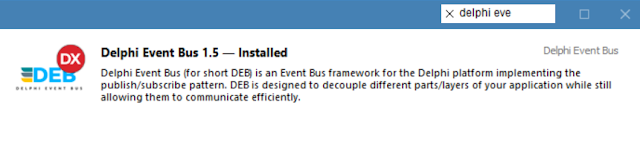
You can also choose to download/copy/fork the library from github: https://github.com/spinettaro/delphi-event-bus

or downloading directly the release from here: https://github.com/spinettaro/delphi-event-bus/releases/tag/v2.0

Hope you find this version full of interesting features for you! 

Enjoy it!!


Monday, August 6, 2018

Delphi Cookbook - Third Edition

This book is the 3rd edition of the Delphi Cookbook serie: Delphi Cookbook is a best sellers for PacktPub (the editor) in its category, so the editor decided to ask me a 3rd edition in co-authorimg with Daniele Teti (author of the 2 previous versions). So here it is!

What's new

In this third edition we wanted to add content to keep the book updated with emerging technologies and new features made available by Delphi: there are 2 chapters completely new, one for Linux Development and one for Integration with IoT, added useful chapters on FireDAC and RTTI attributes. Furthermore, this edition contains all the recipes from the previous editions updated to the new Delphi 10.2 Tokyo: reaching 780 pages for 78 recipes!

This book today lets you learn all the development possibilities offered by Delphi: cross-platform (Firemonkey), mobile applications (Android and iOS), server-side programs (Linux and Windows), integration with IoT, working with data (FireDAC, JSON, XML) and so on...

Topics of the book

  • Develop visually stunning applications using FireMonkey
  • Deploy LiveBinding effectively with the right OOP approach
  • Working with data (JSON, XML)
  • Design, develop and deploy server-side programs to serve RESTful web services (Linux and Windows) and provide data to your mobile apps
  • Use well-defined GUI design patterns to build mobile applications that provide a great user experience
  • Extremely useful recipes on FireDAC database access framework
  • Build mobile apps that read data from a remote server efficiently
  • Call the platform native API on Android and iOS even for an unpublished API
  • Manage software customization for your customer by making better use of an extended        RTTI
  • Implement the most popular design pattern without wasting too much time on debugging and bug fixing
  • Enrich your knowledge of Delphi deepening the libraries made available
  • Integrate your applications with Internet of Things

It is not an introductory book, you will not find any “Introduction to the Object Pascal language”, however the majority of the chapters are not too complex and can be grasped also by the new Delphi programmers.

Another interesting thing is that thanks to the release of the Delphi Community Edition (you do not know what it is ?? go here ...) all chapters except chapters 6 and 7 can be addressed through the use of this free version. For chapters 6 and 7, as it is Linux and server-side development, the Enterprise version of Delphi is required.

Where to buy

The book is available for sale on the editor website and on Amazon.

PacktPub (Official book page)


Amazon


GitHub repo for recipes code


Table of contents


Chapter 1: Delphi Basics

  • Changing your application's look and feel with VCL styles
  • Changing the style of your VCL application at runtime
  • Customizing TDBGrid
  • Using owner-draw combos and listboxes
  • Making an owner-draw control aware of the VCL styles 
  • Creating a stack of embedded forms 
  • Manipulating JSON 
  • Manipulating and transforming XML documents 
  • I/O in the 21st century – knowing the streams 
  • Creating a Windows Service 
  • Using the TService.LogMessage method 
  • Be coherent with the Windows look and feel using TTaskDialog 
  • The amazing TFDTable – indices, aggregations, views, and SQL 
  • ETL made easy – TFDBatchMode 
  • Data integration made easy – TFDLocalSQL 


Chapter 2: Becoming a Delphi Language Ninja 

  • Fun with anonymous methods – using higher-order functions 
  • Writing enumerable types 
  • Using enumerable types to create new language features 
  • RTTI to the rescue – configuring your class at runtime 
  • Duck typing using RTTI 
  • BOs validation using RTTI attributes 
  • Creating helpers for your classes 


Chapter 3: Knowing Your Friends – The Delphi RTL

  • Checking strings with regular expressions 
  • Consuming RESTful services using native HTTP(S) client libraries 
  • Coping with the encoded internet world using System.NetEncodings 
  • Saving space using System.Zip 
  • Decoupling your code using a cross-platform publish/subscribe mechanism


Chapter 4: Going Cross-Platform with FireMonkey

  • Giving a new appearance to the standard FireMonkey controls using styles 
  • Creating a styled TListBox 
  • Impressing your clients with animations 
  • Using master/details with LiveBindings 
  • Showing complex vector shapes using paths 
  • Using FireMonkey in a VCL application 
  • Reinventing your GUI, also known as mastering Firemonkey controls, shapes, and effects 


Chapter 5: The Thousand Faces of Multithreading

  • Synchronizing shared resources with TMonitor 
  • Talking with the main thread using a thread-safe queue 
  • Synchronizing multiple threads using TEvent 
  • Communication made easy with Delphi Event Bus 
  • Displaying a measure on a 2D graph like an oscilloscope 
  • Using the Parallel Programming Library in the real world: Tasks 
  • Using the Parallel Programming Library in the real world: Futures 
  • Using the Parallel Programming Library in the real world: Parallel For/Join 


Chapter 6: Putting Delphi on the Server 

  • Developing web client JavaScript applications with WebBroker on the server 
  • Converting a console application into a Windows service 
  • Serializing a dataset to JSON and back 
  • Serializing objects to JSON and back using RTTI 
  • Sending a POST HTTP request for encoding parameters 
  • Implementing a RESTful interface using WebBroker 
  • Controlling remote application using UDP 
  • Using app tethering to create a companion app 
  • Creating DataSnap Apache modules 
  • Creating WebBroker Apache modules 
  • Using native HTTP(S) client libraries 
  • Logging like a pro using LoggerPro 


Chapter 7: Linux Development 

  • Creating Linux TCP/IP servers
  • How to correctly handle Linux signals
  • How to build a modern Linux daemon 
  • Building a TCP/IP Linux server and daemonizing it 
  • Building a RESTFul server for Linux 
  • Building a complete RESTful server with database access and web client interface 
  • Creating WebBroker Apache modules for Linux 


Chapter 8: Riding the Mobile Revolution with FireMonkey

  • Taking a photo, applying effects, and sharing it 
  • Using TListView to show and search local data 
  • Using SQLite databases to handle a to-do list 
  • Do not block the main thread! 
  • Using a styled TListView to handle a long list of data 
  • Customizing the TListView 
  • Taking a photo and location and sending it to a server continuously 
  • Talking with the backend 
  • Making a phone call from your app 
  • Tracking the application's life cycle 
  • Building your own SMS sending service with the REST API 


Chapter 9: Using specific platform features

  • Using Android SDK Java classes 
  • Using iOS Objective-C SDK classes
  • Displaying PDF files in your app 
  • Sending Android Intents 554
  • Letting your phone talk – using the Android TextToSpeech engine 
  • Using Java classes in Android apps with Java2OP 
  • Doing it in the background, the right way – Android services 


Chapter 10: Delphi and IoT 

  • How to blink an LED using Arduino 
  • How to drive multiple relays with Arduino and Delphi
  • Reading data from Arduino 
  • How to blink an LED using Raspberry Pi 
  • How to drive multiple relays with Raspberry Pi and Delphi 
  • Reading data from Raspberry PI 

Sunday, August 27, 2017

Delphi Event Bus and MVVM

In last ITDevCon, I held a speech on how to build modern applications with Delphi. In the speech I showed what are the good programming techniques and how to reach them in Delphi. The path was completed by presenting the MVVM pattern as solution. For more info about this pattern I suggest you these books:

  1. John Kouraklis, MVVM in Delphi
  2. Syromiatnikov, A., A Journey Through the Land of Model-View-* Design Patterns.

MVVM intents is to separate the domain logic from the presentation logic in three modules with distinct responsibilities:

  • handle the domain data (Model)
  • View state and business logic (View Model) 
  • Handle user interaction and rendering of the visual user interface (View)
The hardest part ( as in any software development ) is the Separation of Concerns (SOC), to keep separate layers so future changes do not interfere with each other. High cohesion and loose coupling, precisely! 
MVVM can manage UI Synchronization in two ways:
  1. Flow synchronization
    • uses direct calls between user interface components and domain. It is based on sequential command: read user input from text box A, processing it with method B, and write the result to text label C 
  2. Observer synchronization
    • the domain layer must implement a notification mechanism to which components of the user interface layer can subscribe. This allows the user interface components to update the state of the user interface when relevant changes in the domain occur
Both solutions keep the layers separated, but the Flow synchronization forces you to write an enormity of boiler plate code and write an Observer framework from zero ( why reinvent the wheel ? ) would be expensive in terms of developments.
Delphi Event Bus comes in our help! For those that doesn't know Delphi Event Bus (for short DEB), it is a publish/subscribe Event Bus framework for the Delphi platform.
DEB is designed to decouple different parts/layers of your application while still allowing them to communicate efficiently.
Simply put the Subscribe attribute on your subscriber method you are able to receive a specific event, and by specifying the TThreadMode in attribute you can choose the context where to deliver the event.
For example, if you have to interact with the UI EventBus can deliver events in the main thread or If your subscriber does long running tasks (HTTP request), EventBus can also use background threads to avoid UI blocking. Regardless where an event was posted the EventBus will manage Thread synchronization, so you can deliver an Event in the MainThread and the subscriber will receive it on a background thread and viceversa.
Look this demo (you need DMVC for server side part) to check how I resolve UI Synchronization in client/server context with REST request in background!


Monday, February 29, 2016

DEB an Event Bus framework for Delphi

Hi all,
I have just started a new open source project: Delphi Event Bus a.k.a. DEB. As the title suggest DEB is an event bus framework based on publish/subscribe mechanism. It was inspired by EventBus framework for the Android platform.

How it works

DEB is designed to decouple different parts/layers of your application while still allowing them to communicate efficiently. The really exciting feature of this framework is that you can choose the delivery mode of the events: in the Main Thread or a Background thread.


Simply put the Subscribe attribute on your subscriber method you are able to receive a specific event, and by specifying the TThreadMode in attribute you can choose the context where to deliver the event.
For example, if you have to interact with the UI EventBus can deliver events in the main thread or If your subscriber does long running tasks (HTTP request), EventBus can also use background threads to avoid UI blocking. Regardless where an event was posted the EventBus will manage Thread synchronization, so you can deliver an Event in the MainThread and the subscriber will receive it on a background thread and viceversa.

Show me the code


Support

  • DEB is a 100% ObjectPascal framework so it works on VCL and Firemonkey
  • It works with DelphiXE7 and major
  • It should be works fine also on AppMethod

Currently, the project consists in a simple getting started guide, 2 great samples and a suite of unit tests. There is a lot of work to do, so any contributor is welcome. The project is hosted on github and here there is the link. I hope you are excited as much as I am about this project!

Stay tuned!